Quick Tips & Tools
Subnet Address tool >> here
Great Review Article on LAN/WAN/BAN >> here
Common IT Tools click >> here
Azure Admin Portal Click>>here
Azure Cloud Tools Download Click >>here
Office 365 Admin Click >>here
ESXSi.com - great info >> here
Fresh 2023 VMWare Library >> here
Awesome Lucid (VIsio-like) tool >> here
Network CLIs
Great Review Article on LAN/WAN/BAN >> here
Common IT Tools click >> here
Azure Admin Portal Click>>here
Azure Cloud Tools Download Click >>here
Office 365 Admin Click >>here
ESXSi.com - great info >> here
Fresh 2023 VMWare Library >> here
Awesome Lucid (VIsio-like) tool >> here
Network CLIs
Windows GodMode. Just create new folder on the desktop. Rename it to "God Mode.{ED7BA470-8E54-465E-825C-99712043E01C}" You now have GP on steroid.

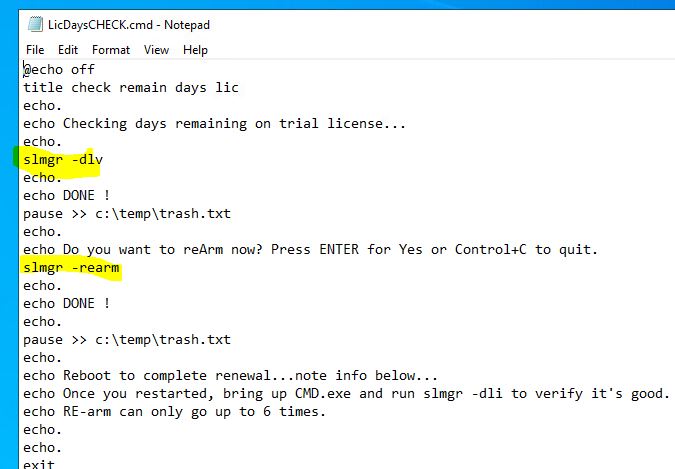
How to quickly maintain your Windows Servers 2019/22 trial license up to 3 years:
1. Download the retail trial at the Microsoft site. Just google it.
2. Install to your ESX, VirtualBox, virtual server machine or whatever platform.
3. The trial is 180 days but you want to put a calendar reminder on day 175. Just run the re-arm.
4. What if I want to go beyond 3 years because I have a domain forest? Stand up another peer DC and then decommission the expiring domain after 5 days but before actually expires. Please be respectful to MS and do not abuse this feature. Use only on lab setup. Not for business production.
1. Download the retail trial at the Microsoft site. Just google it.
2. Install to your ESX, VirtualBox, virtual server machine or whatever platform.
3. The trial is 180 days but you want to put a calendar reminder on day 175. Just run the re-arm.
4. What if I want to go beyond 3 years because I have a domain forest? Stand up another peer DC and then decommission the expiring domain after 5 days but before actually expires. Please be respectful to MS and do not abuse this feature. Use only on lab setup. Not for business production.
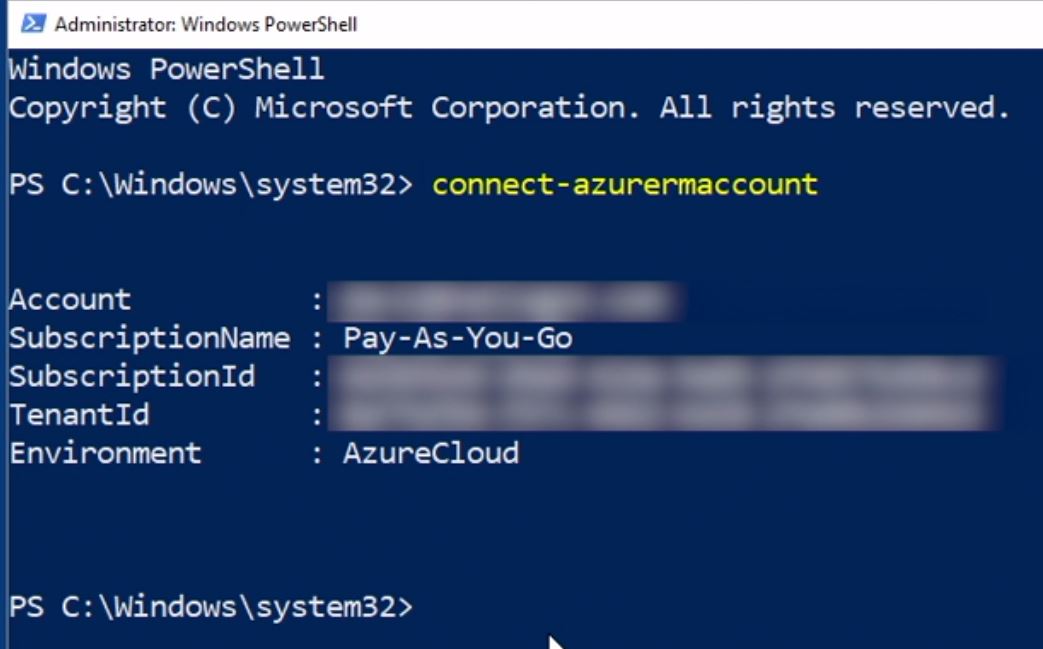
Want to do quick access to your Azure via Cloud Cmdlets? Just make sure you install the cloud Powershell on your desktop and issue the PS cmdlets as shown:
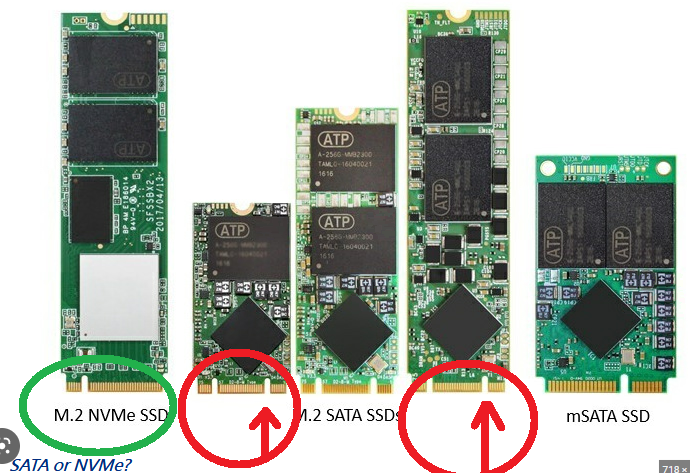
Quick NvMe PCIe & SATA M.2 Interface Explained.